
Wrap / unwrap tokens
Use this guide to convert between native and wrapped tokens on Flare or Songbird.
Wrapping is required before you can delegate to an FTSO provider and earn rewards.
Prerequisites
- You are connected to the correct network (Flare or Songbird).
- You have native tokens (
FLRorSGB) available to wrap, or wrapped tokens (WFLR/WSGB) to unwrap. - Keep a small amount of native tokens unwrapped to pay for gas fees.
1
Open the Wrap tool
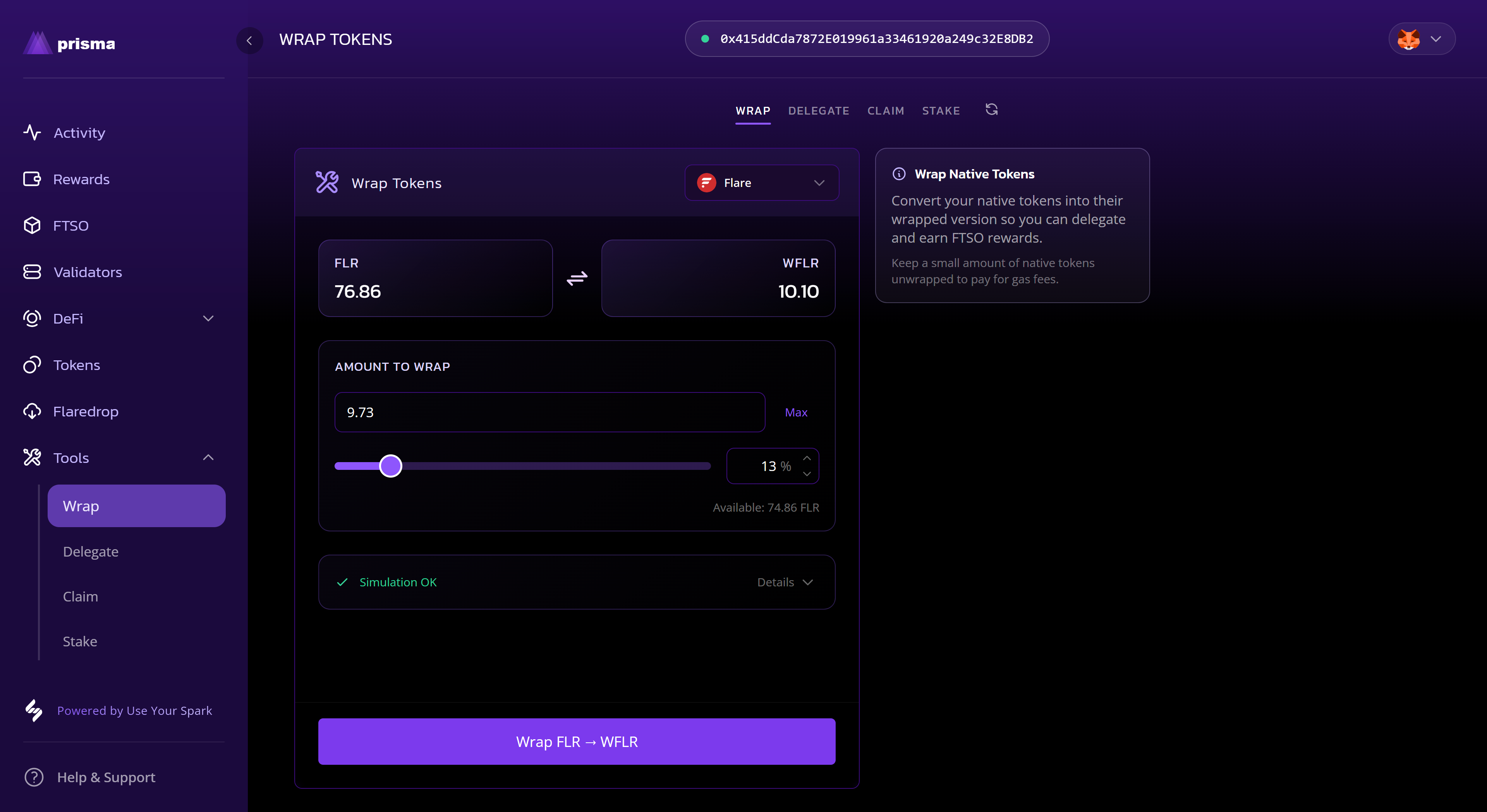
- Navigate to the Tools page and select the Wrap tab.
- Your current native and wrapped balances are shown at the top.
2
Enter an amount
- Type an amount in the input field, or use the slider to select a percentage.
- Use the Max button to wrap the maximum available amount — gas reserves are accounted for automatically.
3
Wrap or unwrap
- The button label confirms the direction (e.g. Wrap FLR → WFLR).
- To unwrap instead, select the swap icon between the two balances to reverse the direction.
- Select the button and sign the transaction in your wallet.
4
Confirm it updated
- Once the transaction confirms, your native and wrapped balances will update.
What to expect
- Wrapping and unwrapping are 1:1 — no fees beyond the network gas cost.
- Unwrapping removes your vote power, which will affect future delegations.