

Stake against a validator
Use this guide to create a validator stake on Flare's P-chain. Staking is a Flare-only feature.
Prerequisites
- You are connected to Flare (staking is not available on Songbird).
- You have
FLRtokens available. If you need to move tokens to the P-chain first, the tool will guide you through a transfer. - You understand that staked tokens are locked until the stake end date and cannot be withdrawn early.
- Minimum stake is 50,000 FLR. Minimum duration is 14 days.
1
Open the Stake tool
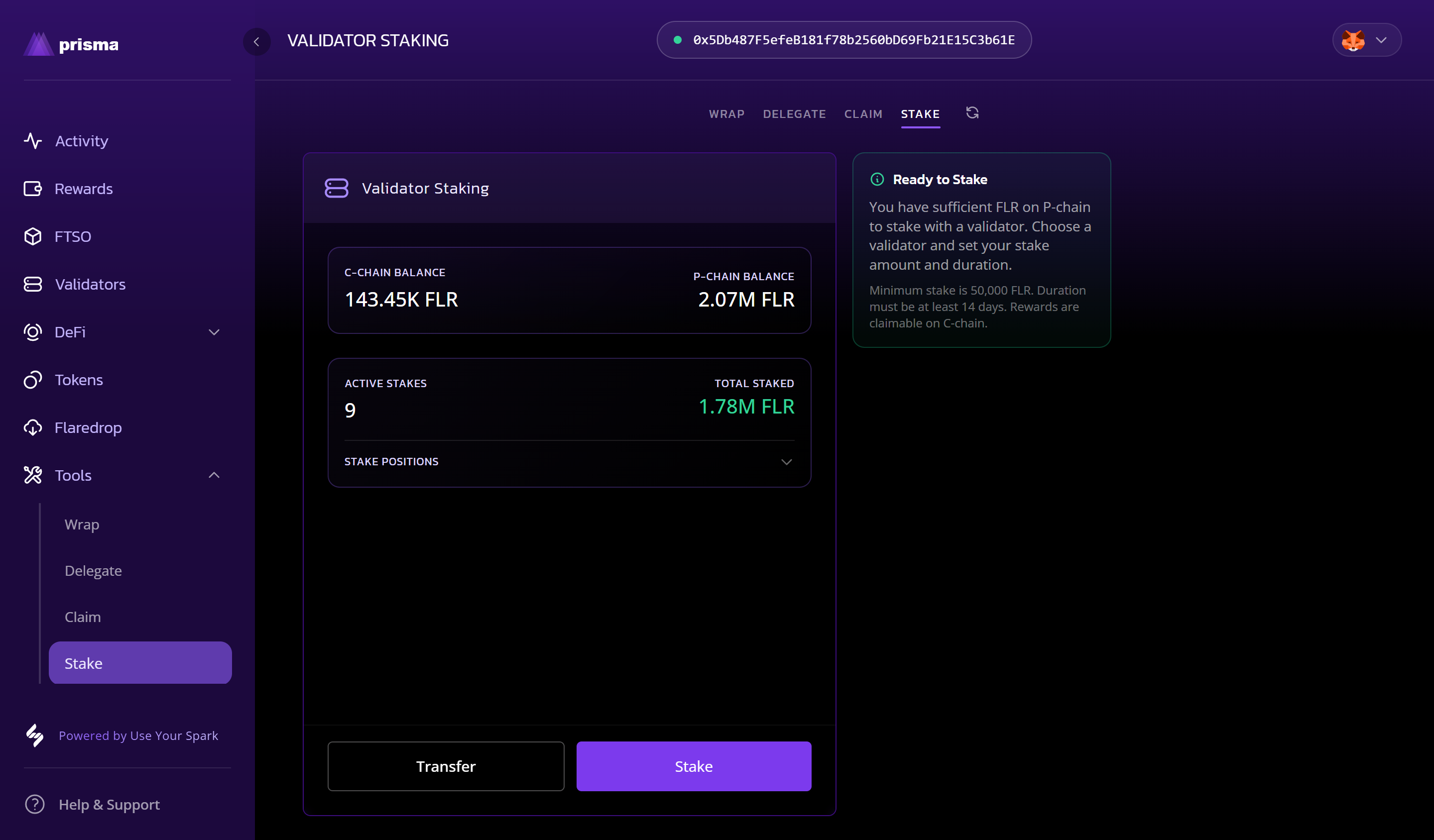
- Navigate to the Tools page and select the Stake tab.
- Your C-chain and P-chain balances are shown, along with any active stake positions.
- Select Stake to begin. If you need to move tokens to the P-chain first, select Transfer.
2
Select a validator
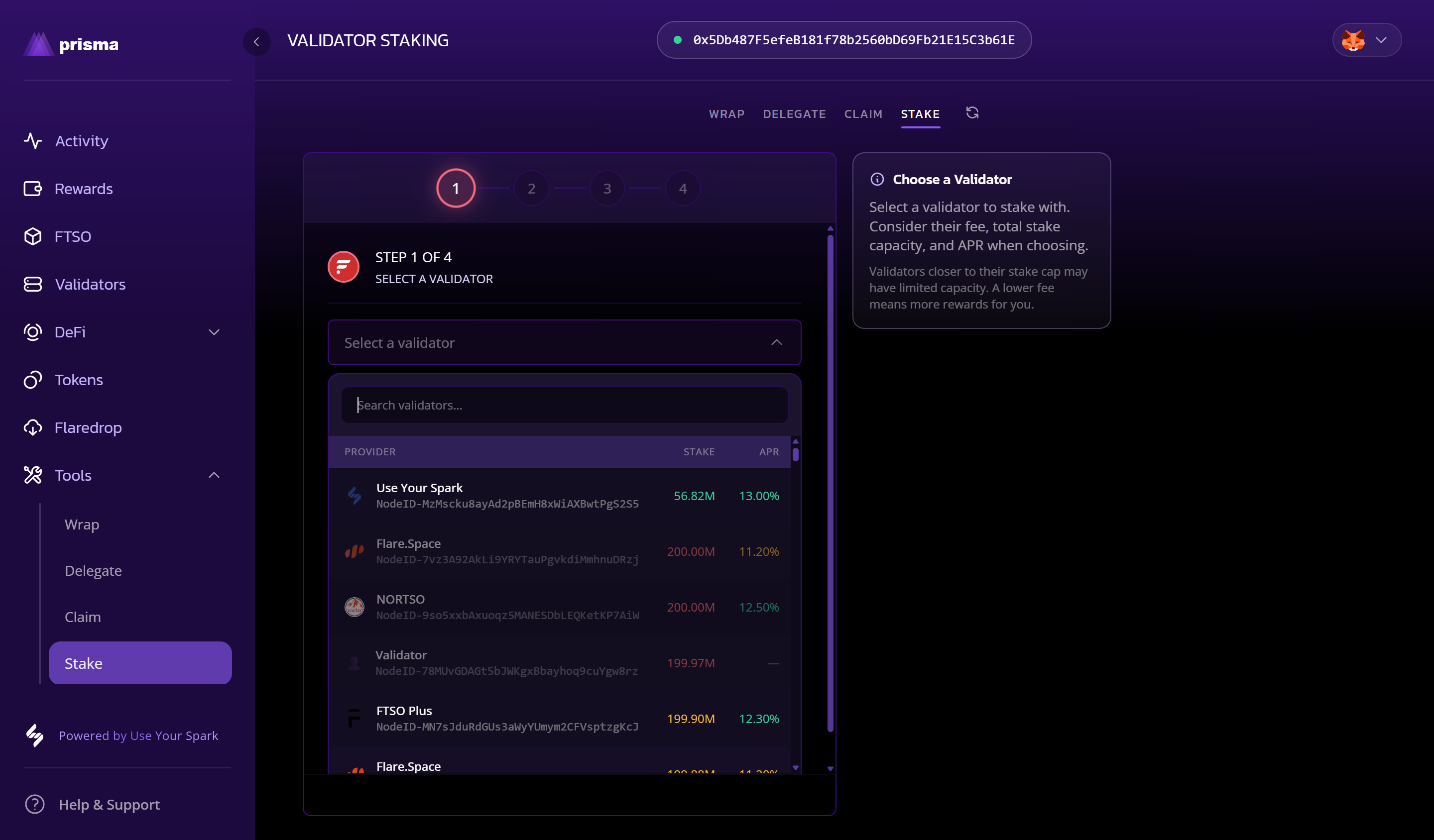
- A list of validators is shown with their Node ID, total stake, and APR.
- Search by name or scroll to find a validator. Consider their fee, total stake capacity, and APR when choosing.
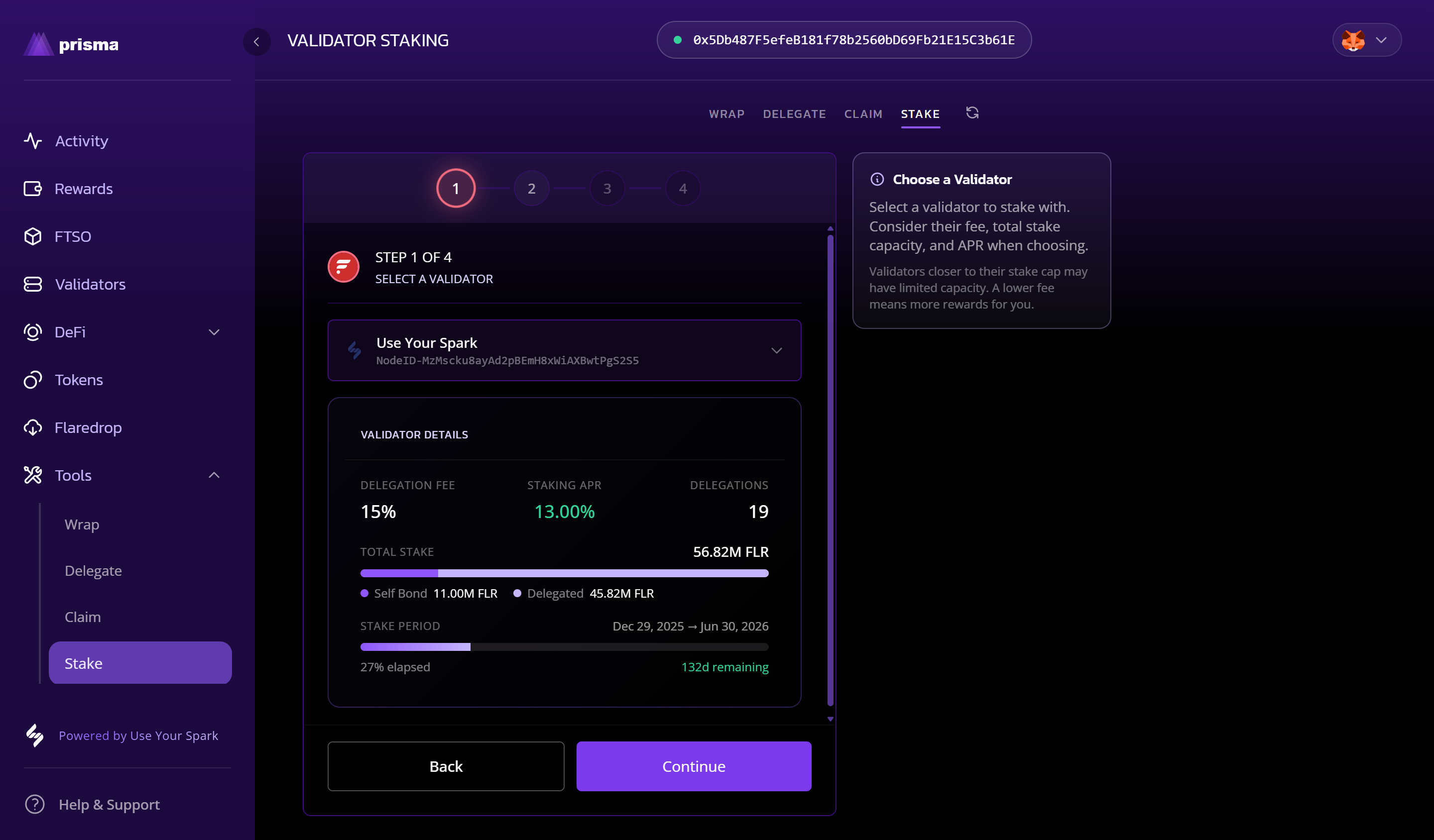
- Select a validator to expand their details.
3
Check and Confirm
- Select Continue when you are happy with your choice.
3
Set stake amount
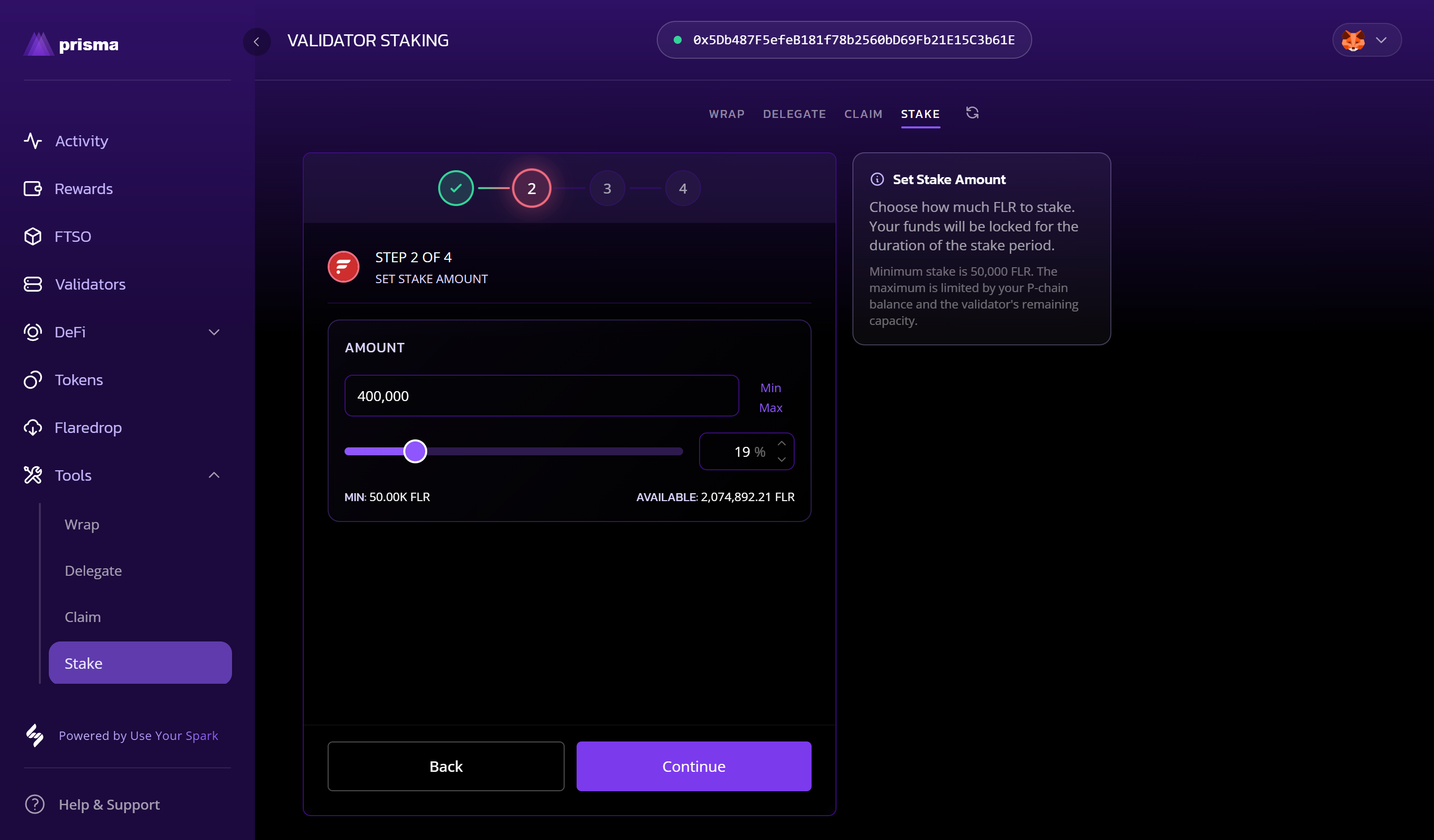
- Enter the amount of FLR to stake, or use the slider to select a percentage of your available P-chain balance.
- The minimum is 50,000 FLR. The maximum is limited by your P-chain balance and the validator's remaining capacity.
- Select Continue.
4
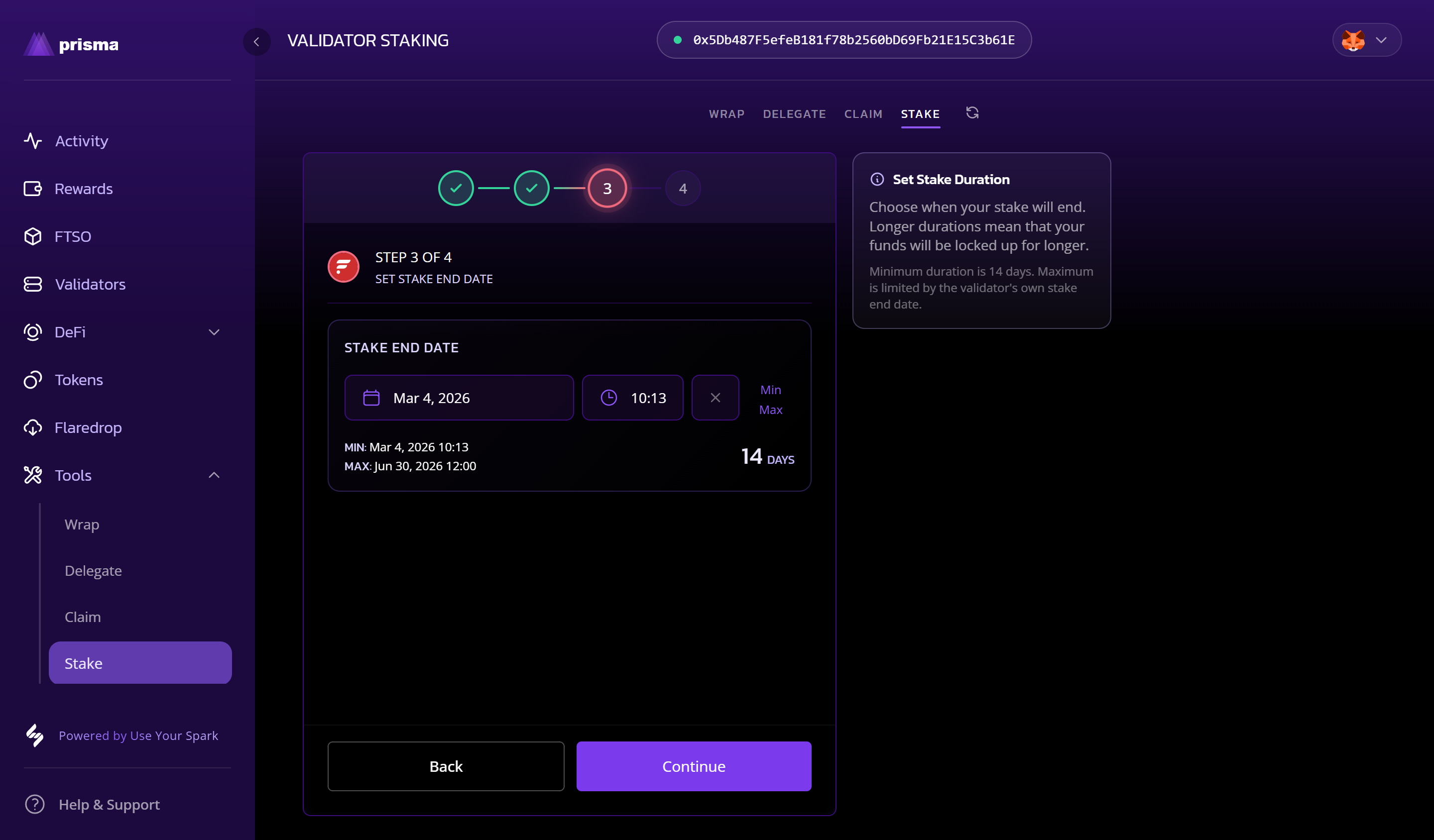
Set stake end date
- Choose when your stake will end using the date and time picker.
- The minimum end date is 14 days from now. The maximum is limited by the validator's own stake end date.
- The number of days is shown as you adjust the date.
- Select Continue.
5
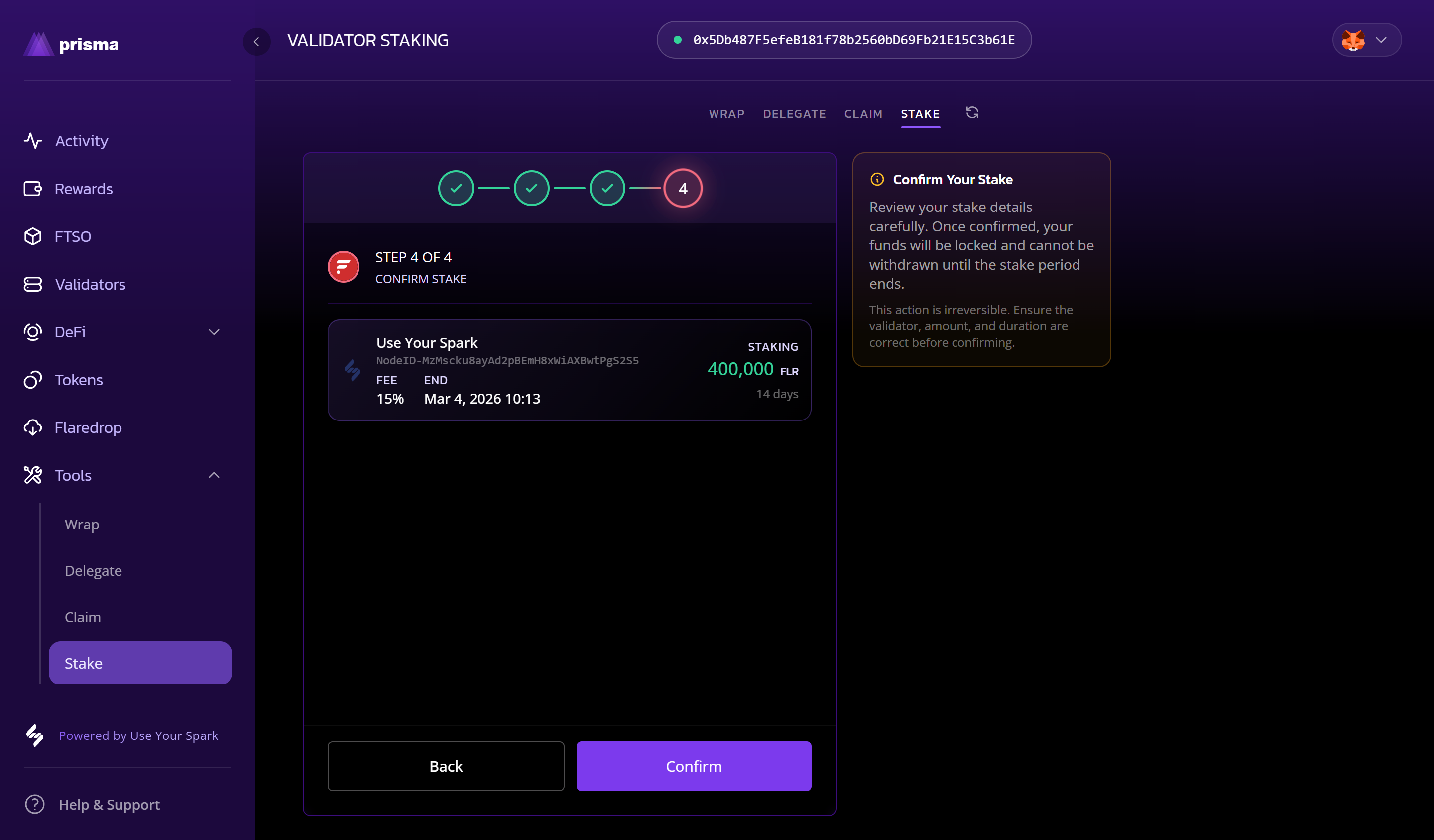
Review and confirm
- A summary of your stake is shown: validator, amount, fee, and end date.
- This action is irreversible — ensure all details are correct before proceeding.
- Select Confirm and sign the transaction in your wallet.
What to expect
- Once confirmed, your staking position will appear in the Stake tool and on the Validators page.
- Staked tokens are locked until the stake end date. Early withdrawal is not possible.
- Staking rewards accumulate and can be claimed via the Claim tool on the C-chain.