

Delegate to an FTSO provider
Use this guide to setup a new FTSO delegation on Flare or Songbird.
Prerequisites
- You are connected to the correct network (Flare or Songbird).
- You have some native tokens available for network fees.
1
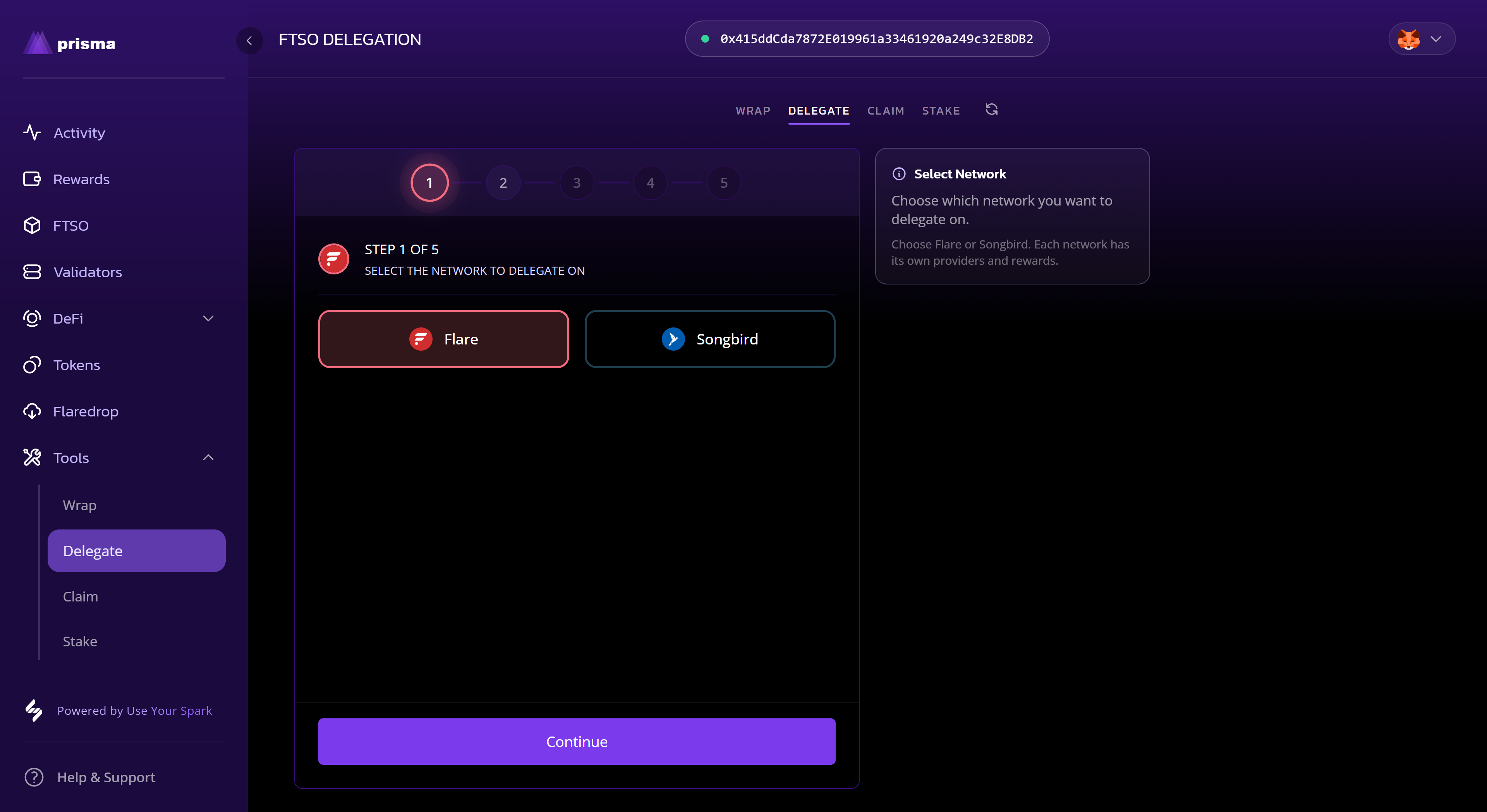
Choose Delegate
- Navigate to the Tools page and select the Delegate tab
- Choose a network and select Continue
2
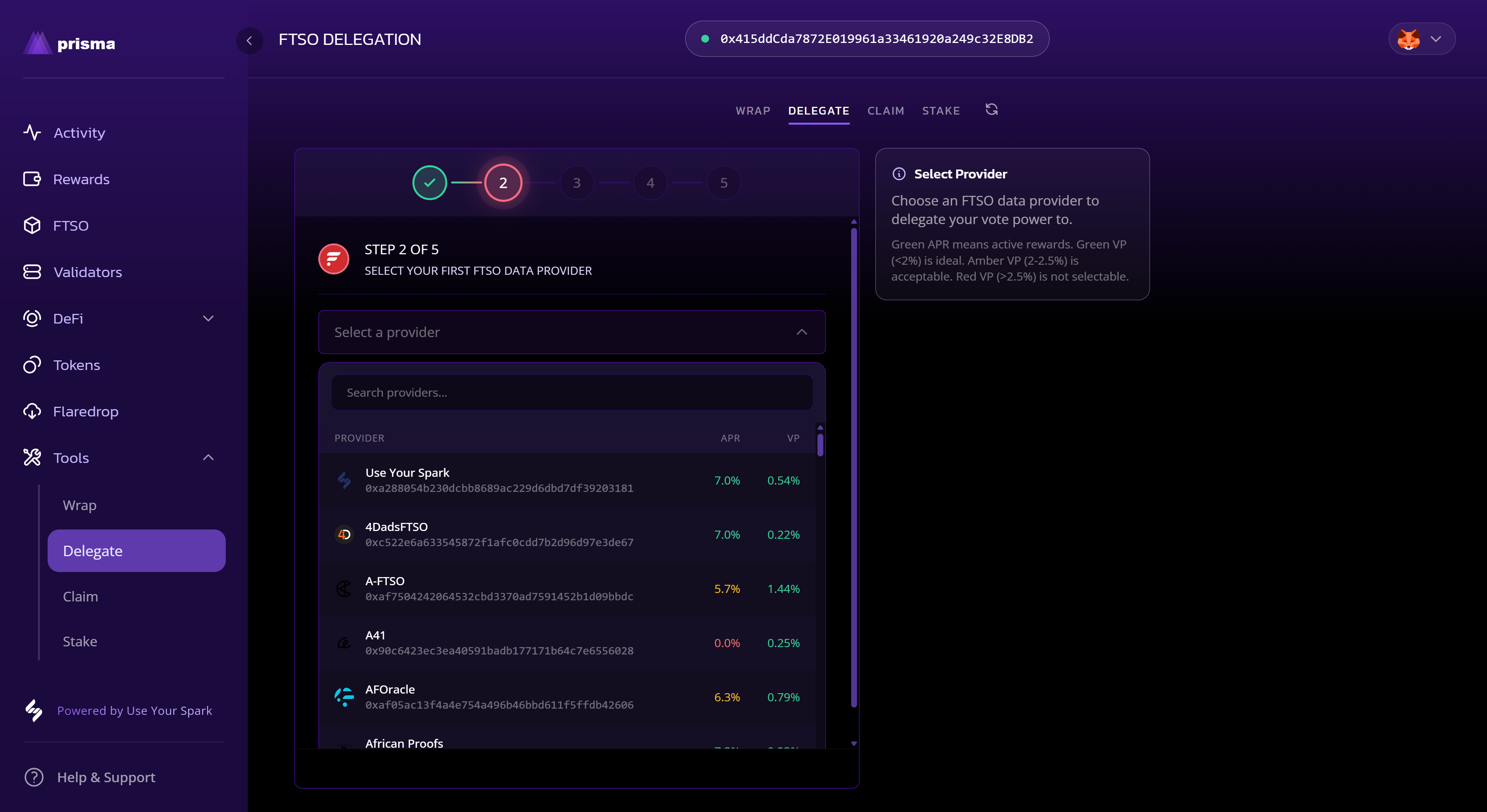
Select provider
- Choose a provider and select Continue.
3
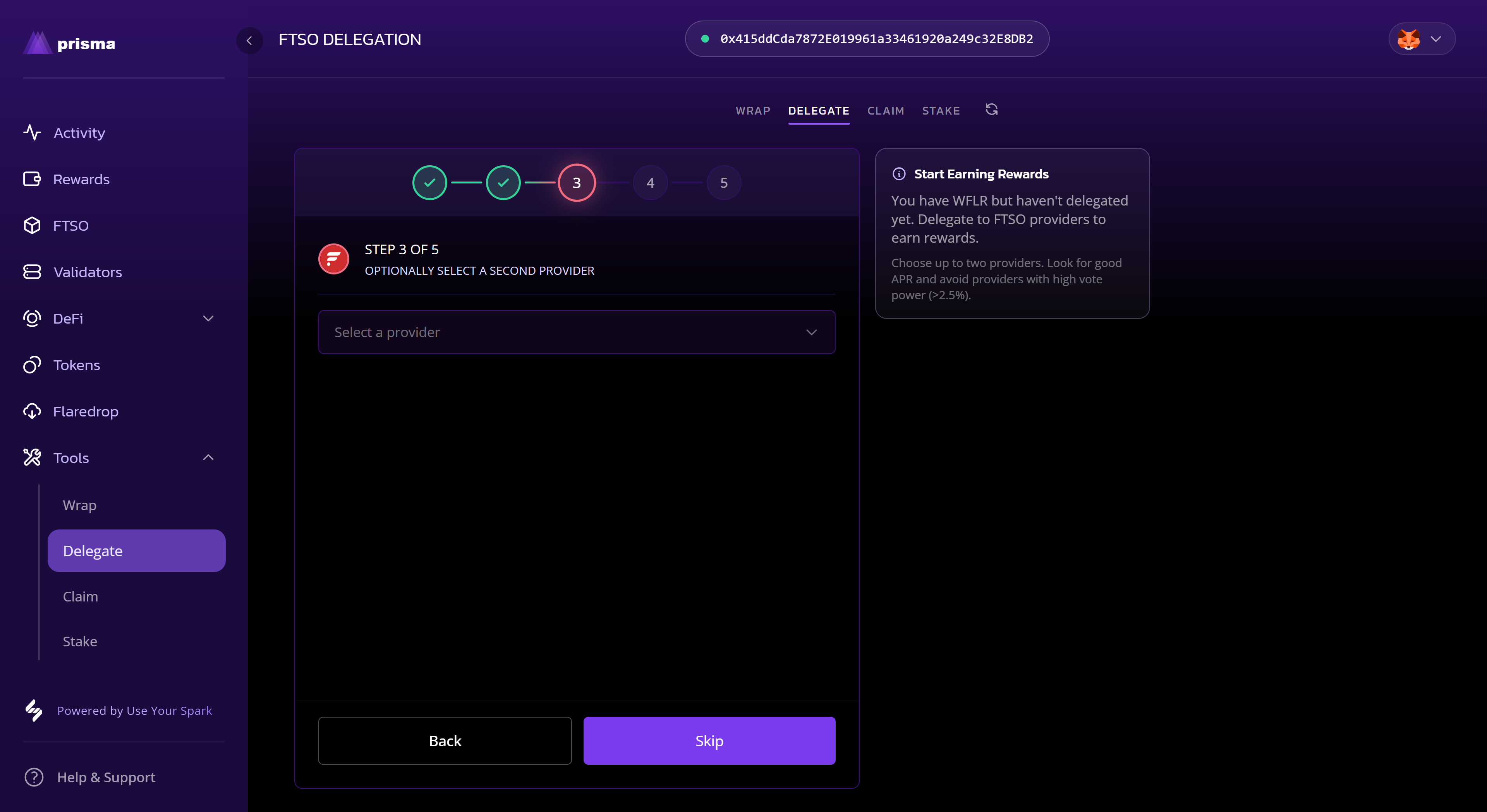
Select second provider (optional)
- On Flare you can optionally select a second provider. Skip this step if you only want to delegate to one provider.
4
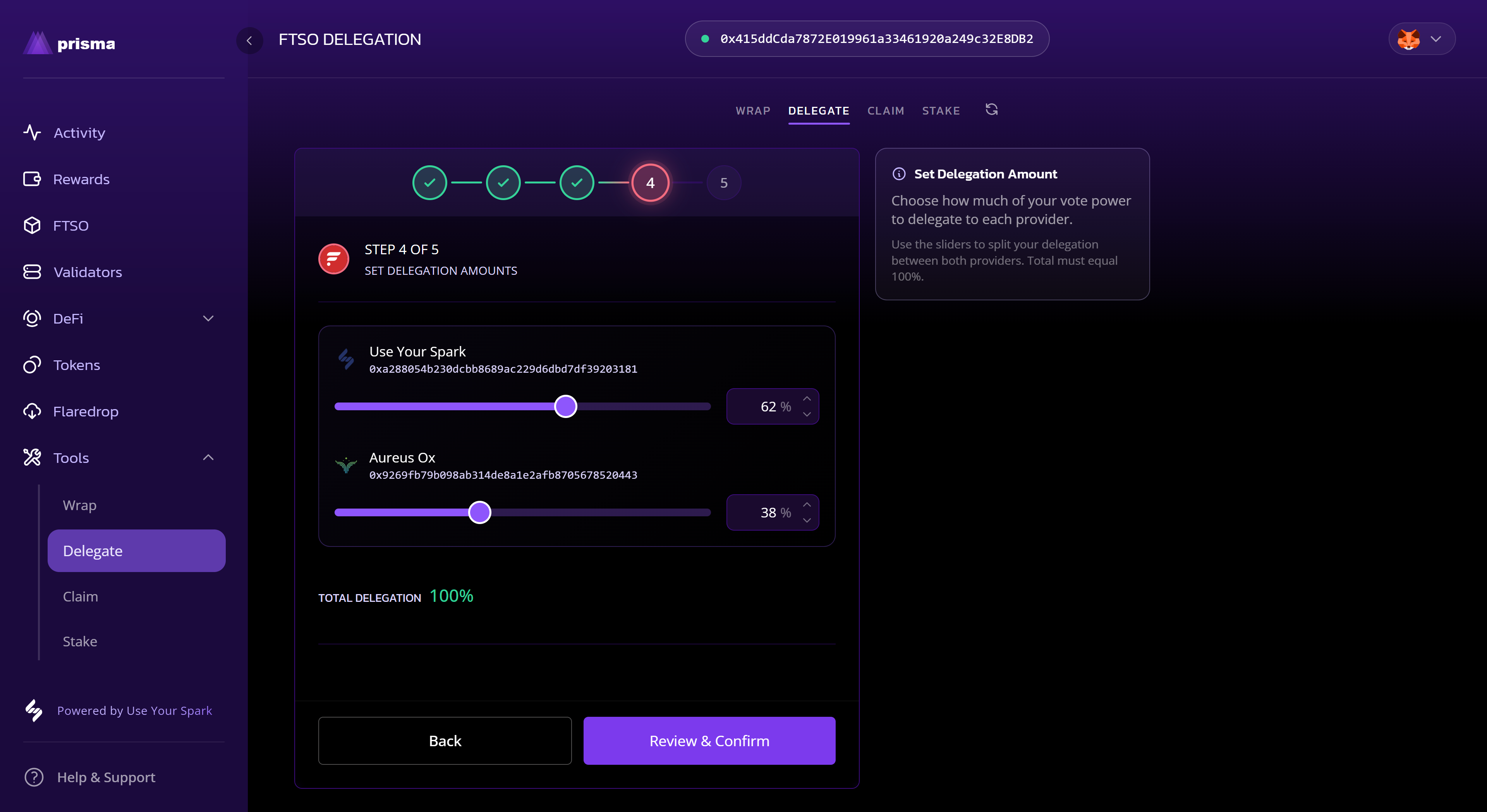
Set allocations
- Set the allocations for each provider and select Review & Confirm.
5
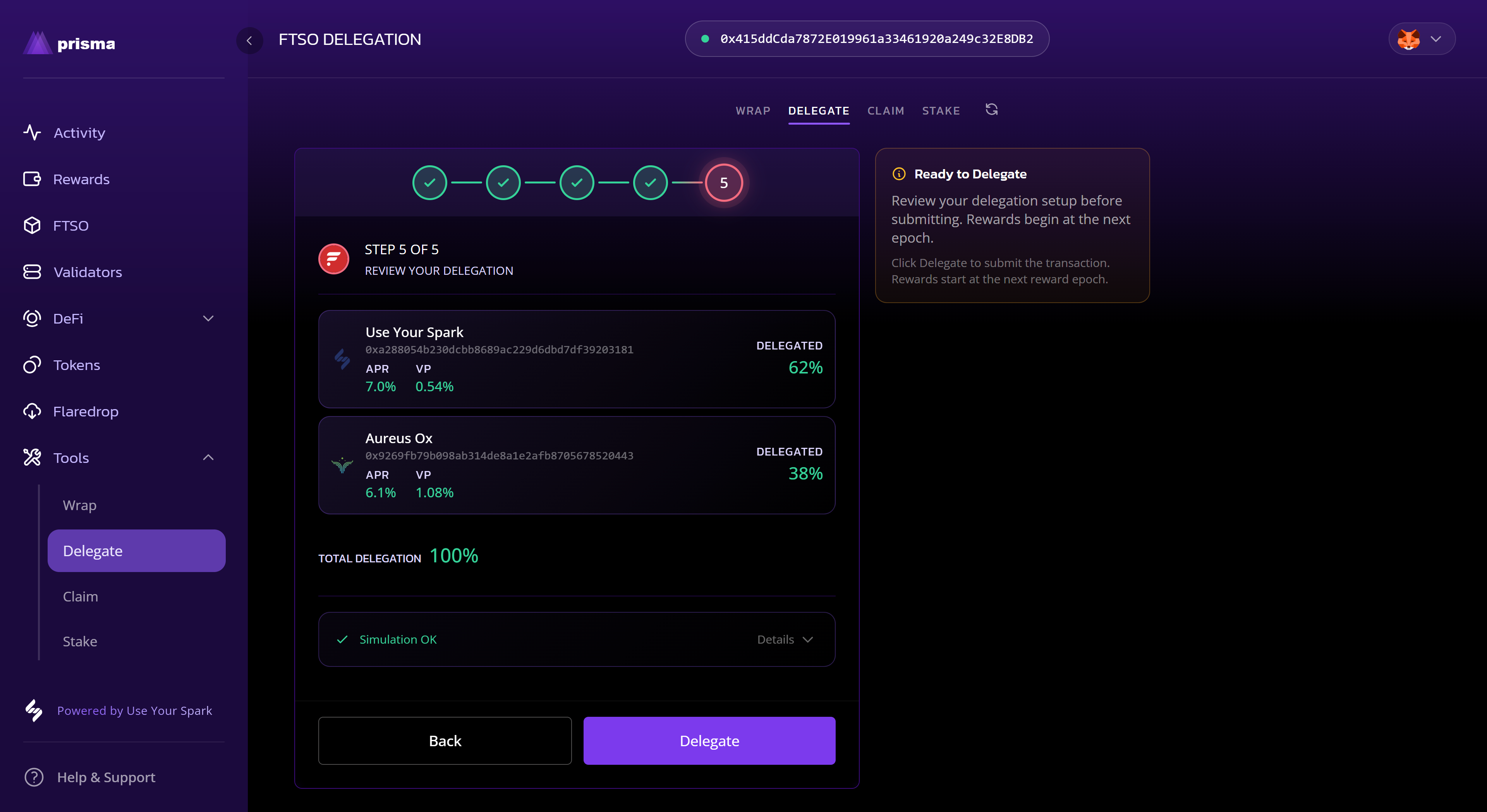
Review and sign
- Review your selections and select Delegate
- Check and sign the transaction in your wallet
6
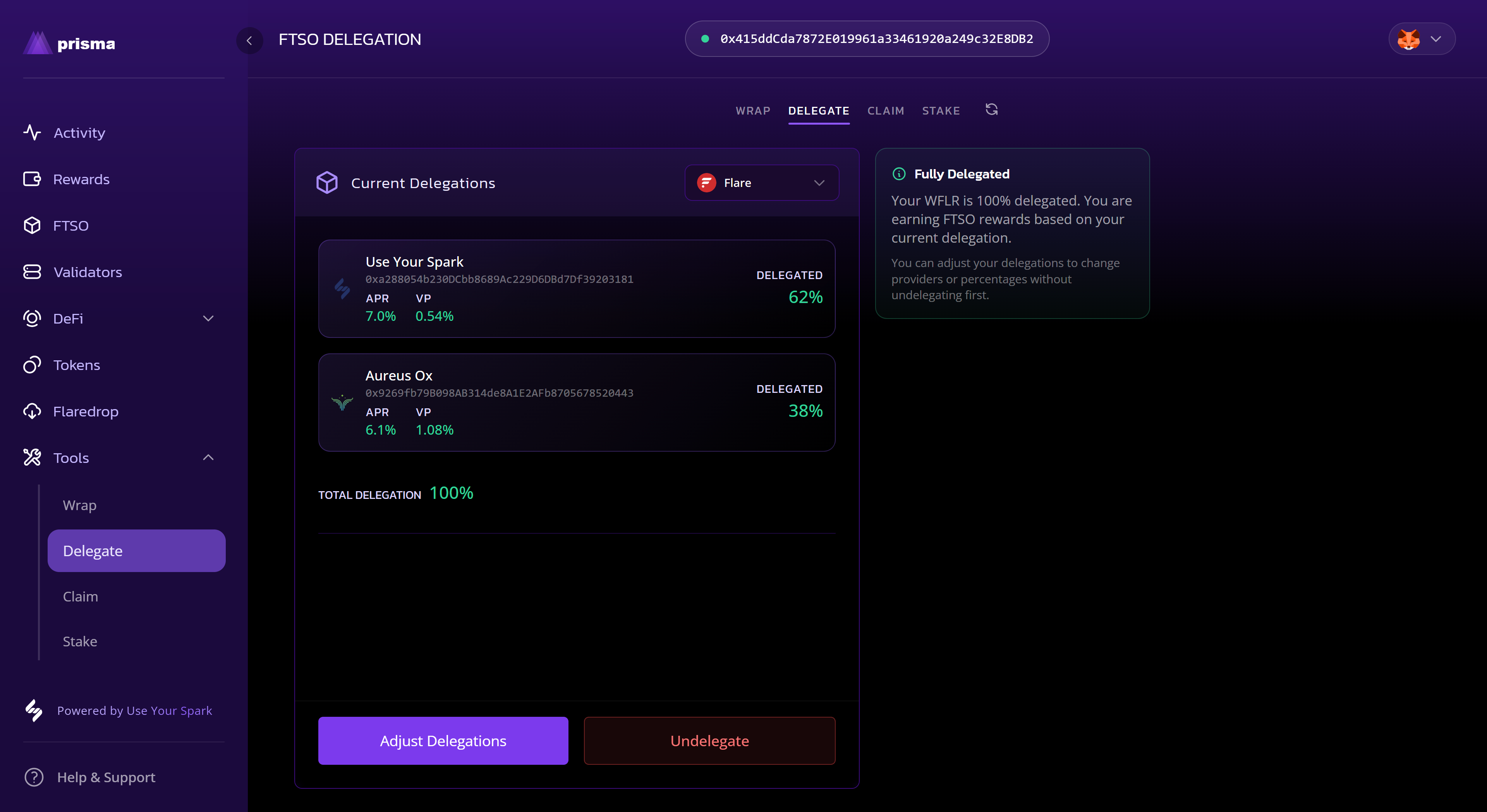
Confirm it updated
- Once the transaction confirms, your updated delegation will show in the dashboard.
What to expect
- Delegation changes take effect after the transaction is confirmed.
- Updates may take a short time to appear across all tables and charts.